
Undoing a hit rating or deleting a rated hit
If you rated a hit as false positive or as positive by mistake or too hastily, you can correct that rating again on the “Rate Hits” page. You have two options: undo the rating (the hit becomes unrated again and must be re-evaluated) or permanently delete the rated hit. Both work the same way for all modules (sanctions lists, PEP, Dow Jones).
Step by step
- Open the “Rate Hits” page of the relevant module (for example via the “Hits” link in the list overview).
- Scroll to the table that contains the rated hit:
- “False positive rated hits” – this holds the hits rated as false positive.
- “Confirmed Hits (Positive)” – this holds the hits confirmed as true positive.
- Find the row of the hit (use the table’s search box if needed) and look at the “Actions” column.
Undoing the rating:
- Click the button to reset the rating (the “Undo” icon ↺).
- The “Undo rating” dialog opens with the note: “Do you really want to undo the rating of this hit? The hit will reappear as unrated and must be re-evaluated.”
- Confirm with “Undo”.
- The hit becomes unrated again. It disappears from the FP or PP table and reappears at the top in the “Unreviewed Hits” section. A confirmation message points this out: “False positive rating was reset. The hit must now be re-evaluated.” (or “Positive rating was reset. The hit must now be re-evaluated.”).
Deleting a rated hit:
- Click the delete button (the trash-can icon 🗑).
- The “Delete entry” dialog opens with the query: “Do you really want to permanently delete this rated hit?”
- Confirm with “Delete” (or abort with “Cancel”).
- The hit is permanently removed; the message “Entry was deleted.” appears and the table refreshes automatically.
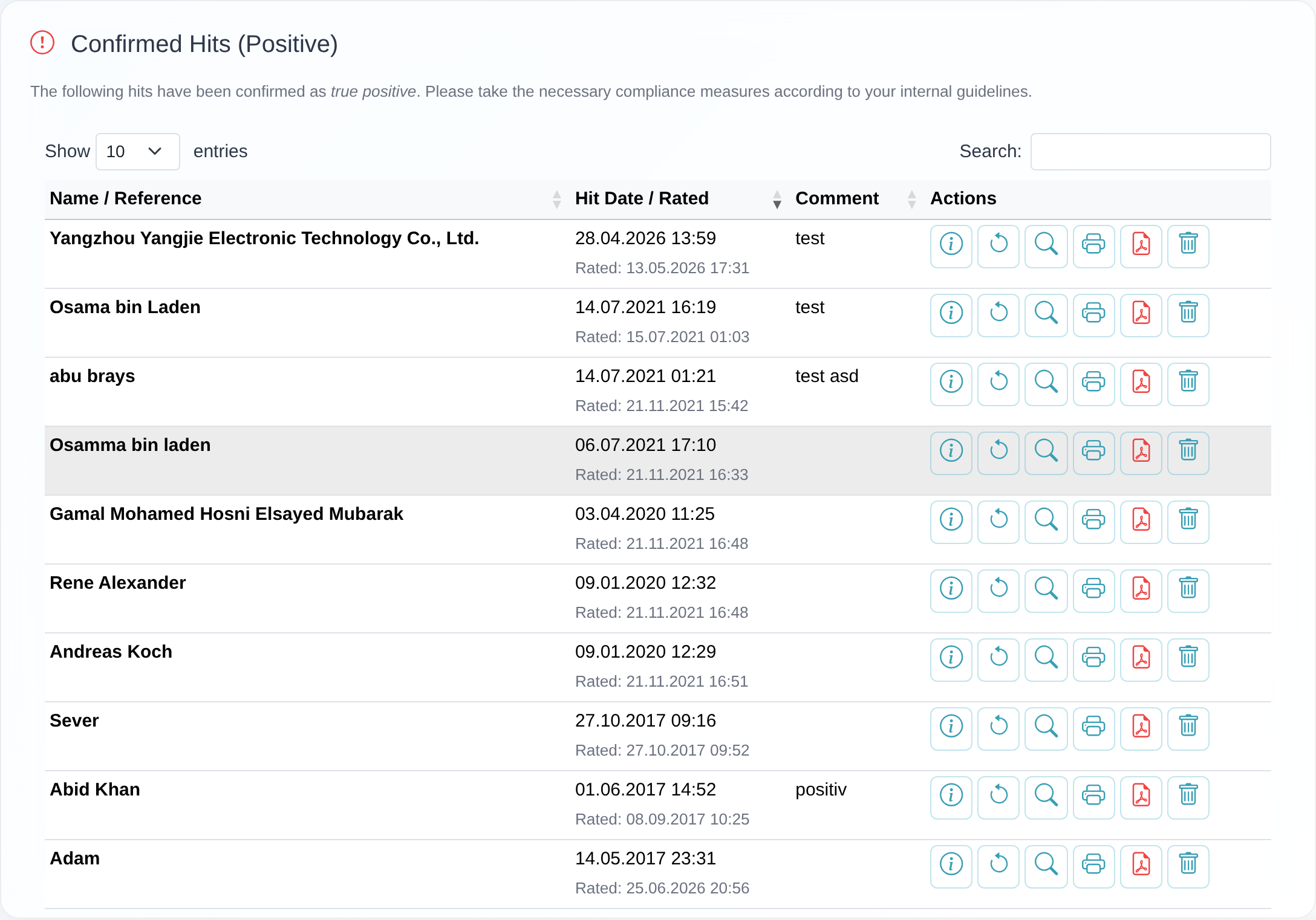 The “Actions” column of a rated-hits table with the “Undo” and “Delete” buttons and the “Undo rating” confirmation dialog.
Good to know
- Undo ≠ Delete: Undoing keeps the hit but makes it unrated again, so it moves back into the “Unreviewed Hits” section. Deleting, by contrast, removes the rated hit completely and permanently.
- Counters and view update automatically: After undoing, the number of unreviewed hits goes up again (the “unreviewed” badge at the top of the page); after deleting, the row disappears from the respective table.
- False positive has a shielding effect: A record rated as false positive is no longer reported as a hit in future checks as long as it remains on your list. If you undo that rating, the same hit can reappear at the next check.
- Write permission required: If you do not see the undo/delete buttons or receive the message “You have no permission to edit hits.”, your access lacks write permission. Contact the main access of your customer or the customer service.
- Deletion is final: There is no recycle bin. A deleted hit cannot be restored.
Frequently asked questions
I accidentally marked a hit as “Confirm Positive”. How do I undo that? Open the “Confirmed Hits (Positive)” table, click “Undo” in the row and confirm in the “Undo rating” dialog with “Undo”. The hit is then unrated again and must be re-evaluated.
What happens to the hit when I undo the rating? It becomes unrated again and reappears at the top in the “Unreviewed Hits” section. You then have to rate it again as “False Positive” or “Confirm Positive”. Counters and view update automatically.
What is the difference between “Undo” and “Delete”? “Undo” only resets the rating – the hit is kept and must be re-evaluated. “Delete” removes the rated hit permanently and irreversibly.
I do not see the undo or delete buttons. Then your access lacks write permission for lists. A read-only access cannot edit hits. Ask the main access of your customer for the permission or contact the customer service.
Can I restore a deleted hit? No. Deletion is final; there is no recycle bin.
Requirements
- You need write permission for lists (the permission to edit hits). A read-only access can neither change nor delete ratings – in that case the message “You have no permission to edit hits.” appears.
- The hit must already be rated and listed in one of the two tables “False positive rated hits” or “Confirmed Hits (Positive)”. How to rate a hit in the first place is described in Rating a hit as false positive or positive.
Related articles
Last reviewed: