
Retrieving an invoice without signing in
The public page "Rechnungen abrufen" (Retrieve invoices) lets you download a single invoice as a PDF – without signing in at all. That is handy when, for example, your accounting department needs one particular invoice but has no access to the customer portal. All you enter is your customer number and the invoice number.
Note: this page is only available in German. The German field labels are given below with an English translation in brackets.
Step by step
- Open the page Rechnungen abrufen.
- In the field "Kundennummer" (customer number), enter your customer number (digits only,
e.g.
12345). - In the field "Rechnungsnummer" (invoice number), enter the number of the invoice you are
looking for (digits only, e.g.
20001234). - Click "Abrufen" (retrieve).
- If the invoice is found, the section "Download Ihrer Rechnung" (download your invoice) appears with the columns "Datum" (date), "Rechnungsnummer" (invoice number), "Status" and "Herunterladen" (download).
- On the right, under "Herunterladen", click "Als PDF" (as PDF). The invoice opens in a new tab; from there you can view, save or print it.
- "Weitere Rechnung abrufen" (retrieve another invoice) takes you back to the form.
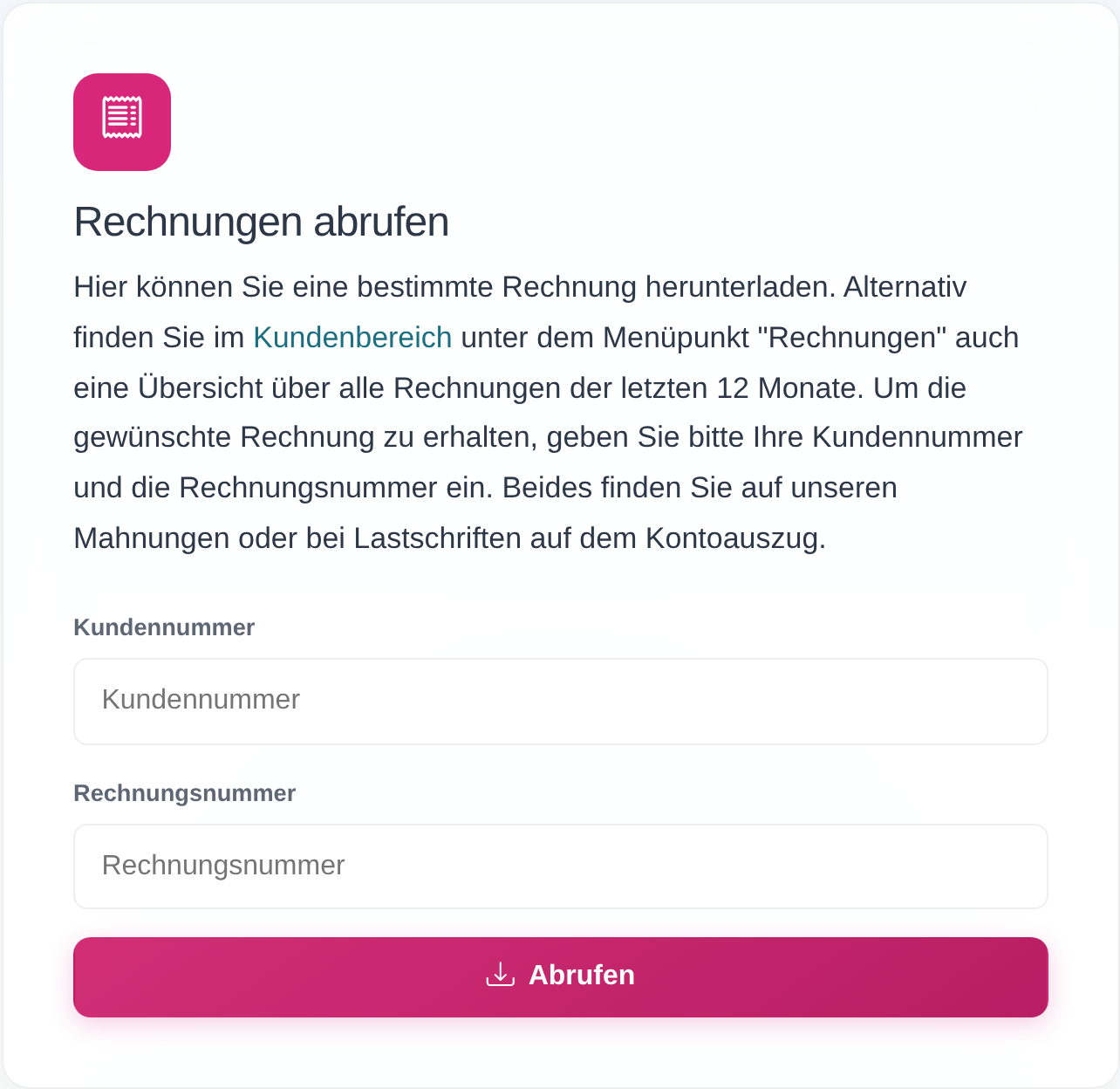 The public page "Rechnungen abrufen" with the fields "Kundennummer" (customer number) and "Rechnungsnummer" (invoice number) and the button "Abrufen" (retrieve). The page exists in German only.
Good to know
- No sign-in needed: the page is deliberately public, so that your accounting department, for instance, can retrieve a single invoice without an account.
- Both numbers have to match: the customer number and the invoice number must belong to the same invoice. If the invoice number does not match the customer number, no invoice is shown.
- Where do I find the numbers? The page says: "Beides finden Sie auf unseren Mahnungen oder bei Lastschriften auf dem Kontoauszug." – you will find both on our reminders, or on your bank statement in the case of direct debits.
- Time frame: invoices from roughly the last 12 months can be retrieved.
- Overview of all invoices: once signed in to the customer portal, the menu item "Invoices" shows an overview of all invoices from the last 12 months (see Viewing invoices and downloading them as a PDF). Unlike this public page, the customer portal is available in English.
- The PDF is provided directly: whether the file opens in a new tab or is downloaded depends on your browser settings.
Frequently asked questions
Do I need to sign in to retrieve an invoice? No. On the page "Rechnungen abrufen" the combination of customer number and invoice number is enough. The page is reachable without an account – ideal for your accounting department, for example.
Where do I find my customer number and the invoice number? Both numbers appear on our reminders and – if you pay by direct debit – on your bank statement. Once signed in to the customer portal, you can also see the invoice numbers in the overview under "Invoices".
I get the message "Es ist ein Fehler aufgetreten" – what does that mean? "An error has occurred." This message appears when one of the entries is missing or is not made up of digits. Enter both the customer number and the invoice number as digits only (no letters, no spaces).
I get "Keine Rechnung gefunden" – what does that mean? "No invoice found." The two numbers do not go together: the invoice number does not belong to the customer number you entered, or the invoice is more than roughly 12 months old. Check both entries against your reminder or bank statement and try again. If the problem persists, please contact customer service.
Can I download several invoices at once here? No. This page retrieves one invoice at a time. An overview of all invoices from the last 12 months is available in the customer portal under "Invoices" once you have signed in.
Requirements
- The customer number and the invoice number of the invoice you want. The two numbers must belong together – that is, to the same invoice. Where to find them is explained under Good to know.
Related articles
Last reviewed: